
Desktop Only
Velocit Flow is designed for desktop. Please visit on a laptop or desktop computer to get the full experience.
Velocit Flow is designed for desktop. Please visit on a laptop or desktop computer to get the full experience.
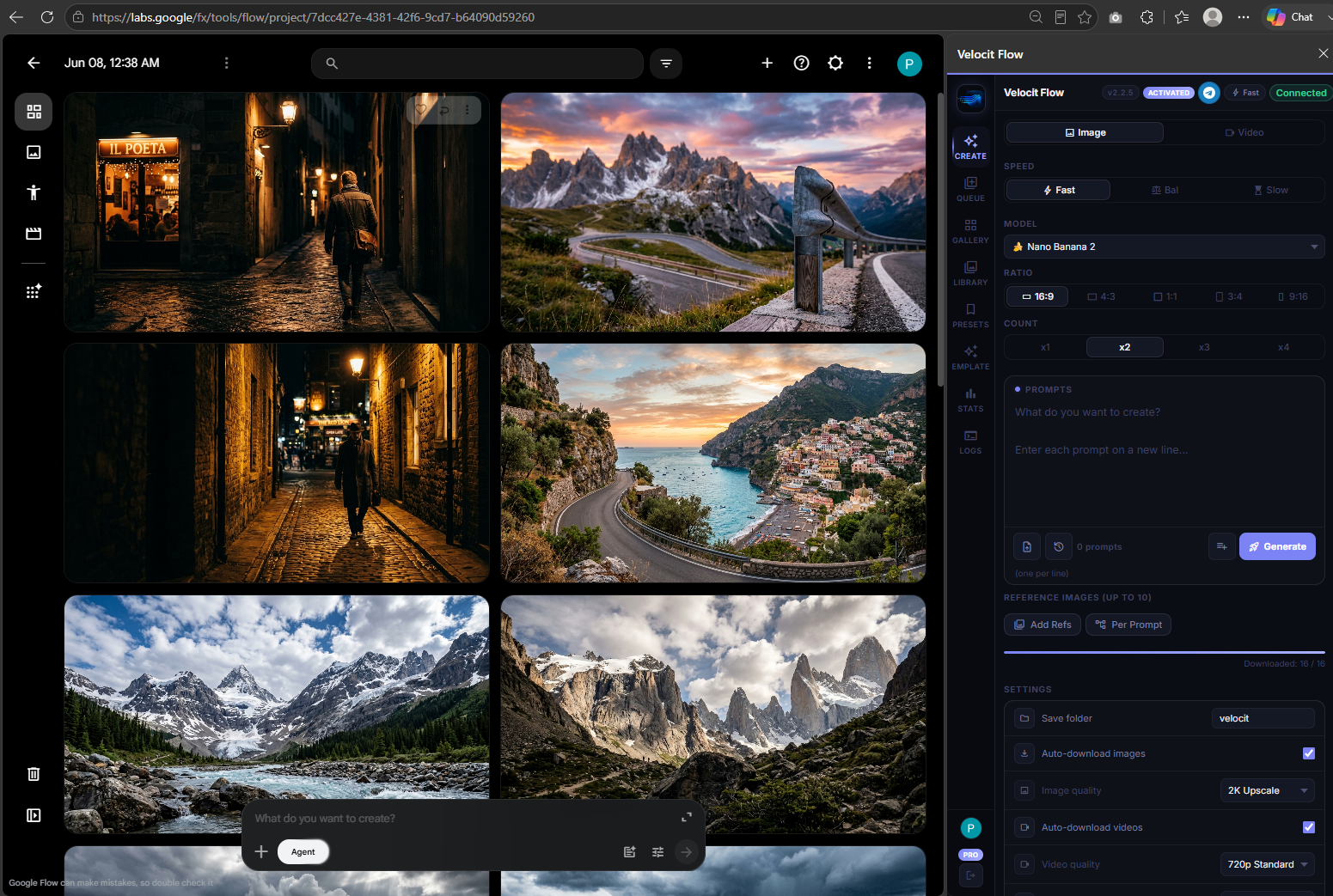
Paste your prompt list. Velocit Flow runs every prompt through Google Flow in parallel — auto-downloading at 2K or 4K, while you do literally anything else.
Install Free — Chrome Web Store
Free to install — 10 free prompts to start — Pro from $8/mo
Features
Everything a serious creator needs — parallel generation, 4K upscale, reference mapping, presets, templates, stats, and more.
Your entire prompt list fires at once. 100 images takes the same time as 1 — all running simultaneously in the background.
Nano Banana Pro, Imagen 4, and Veo 3.1 — switch modes instantly with full model, ratio, and speed control.
Every asset lands in your folder automatically — organized, numbered, and named exactly how you configure it.
Stack unlimited batches with different settings. They auto-chain — when one finishes, the next starts, hands-free.
Auto-upscale to 4K or 2K on download. No third-party tools, no extra steps — professional output every time.
Save your full config as a named preset. One click to switch between YouTube thumbnails, portraits, or product shots.
Professionally written prompts across 8 categories — Cinematic, Product, Anime, Portrait, Architecture, and more.
Track every image and video generated. Re-use past prompts, see lifetime stats, and measure your time saved.
No passwords, no license keys, no copy-paste activation. Sign in with Google and your subscription unlocks in under 2 seconds.
Community
"I run a content agency and we generate 200+ images a week. Velocit cut our production time from half a day to under 30 minutes. Honestly, I don't know how we used Google Flow without it."
"Tried every AI batch tool out there. None survived a Google Flow update for more than two weeks. Velocit has been rock solid for months. The team actually maintains it."
"The Reference Mapper alone is worth the price. I tag my client's brand photos once and the extension maps them to every prompt automatically. Game changer for brand consistency."
Inside Velocit Flow
Seven purpose-built tabs. Click any to explore.
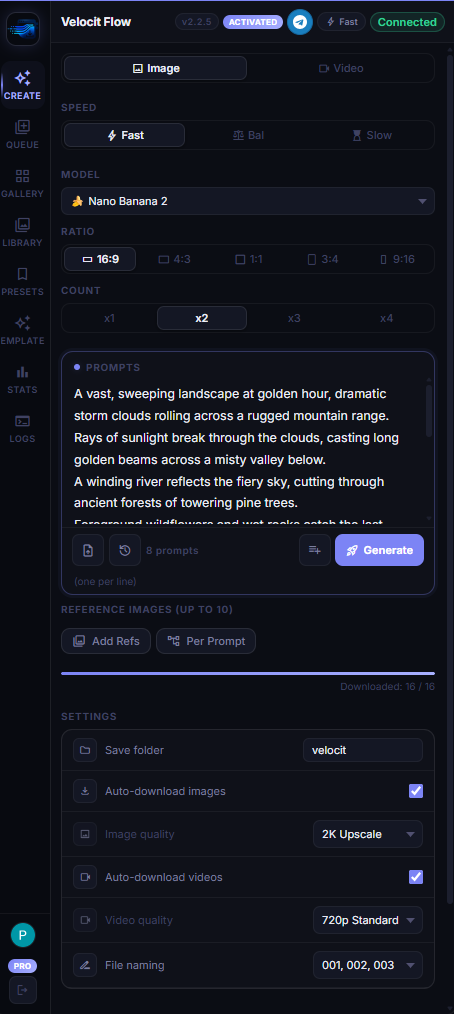
Switch between Image and Video mode. Pick your model, aspect ratio, and count. Paste prompts one per line — or import a .txt file. Hit generate and walk away.
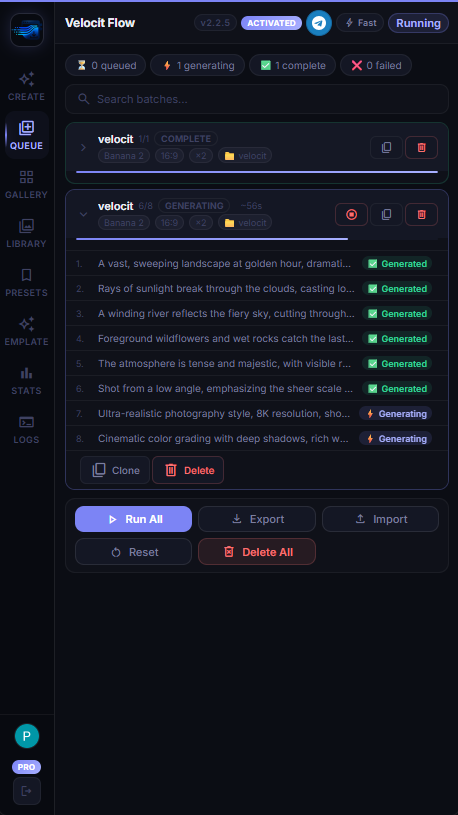
Stack multiple batches with different settings. They auto-chain — when one finishes, the next starts. Edit prompts inline, retry failures, undo deletes.
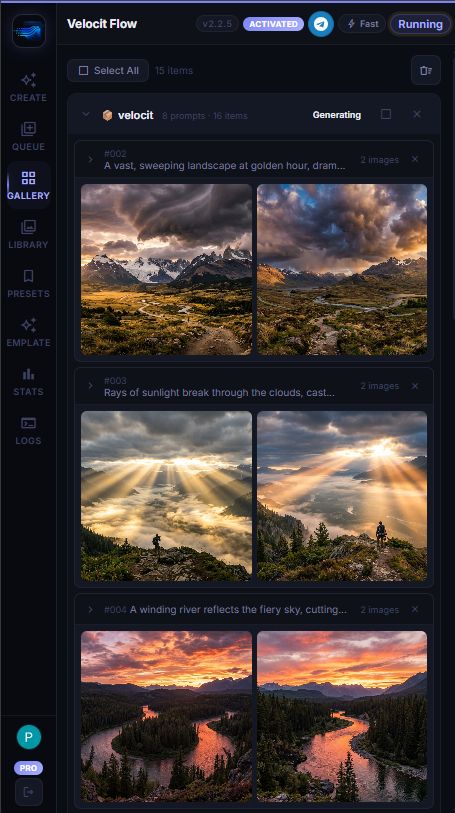
Generations land in the Gallery as they complete — organised by batch, grouped by prompt. Pick your favourites, choose 2K or 4K quality, and download in bulk. No digging through folders.
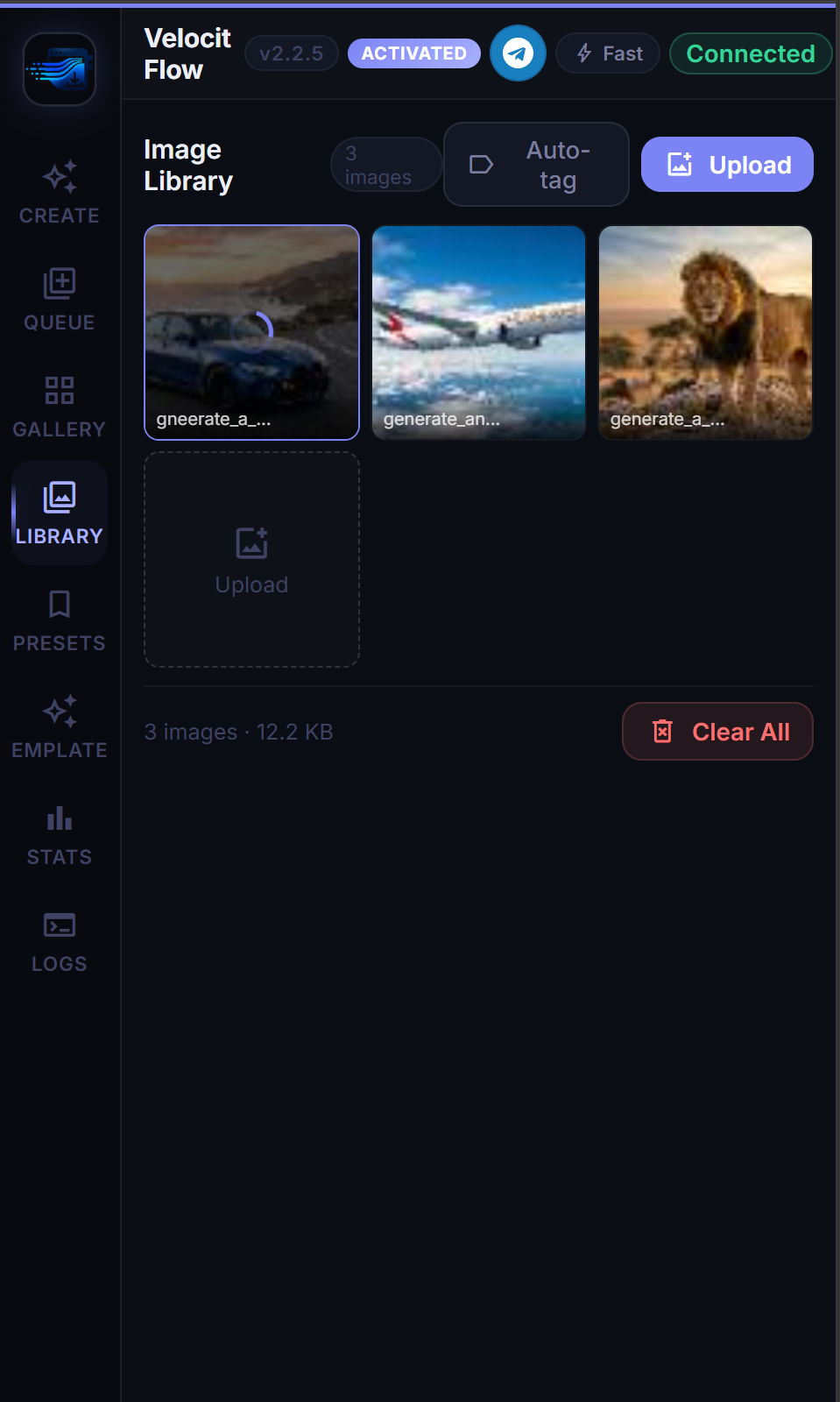
Upload your reference images once and reuse them across every batch. Hit Auto-tag to name them automatically — then the Reference Mapper picks the right one for each prompt.
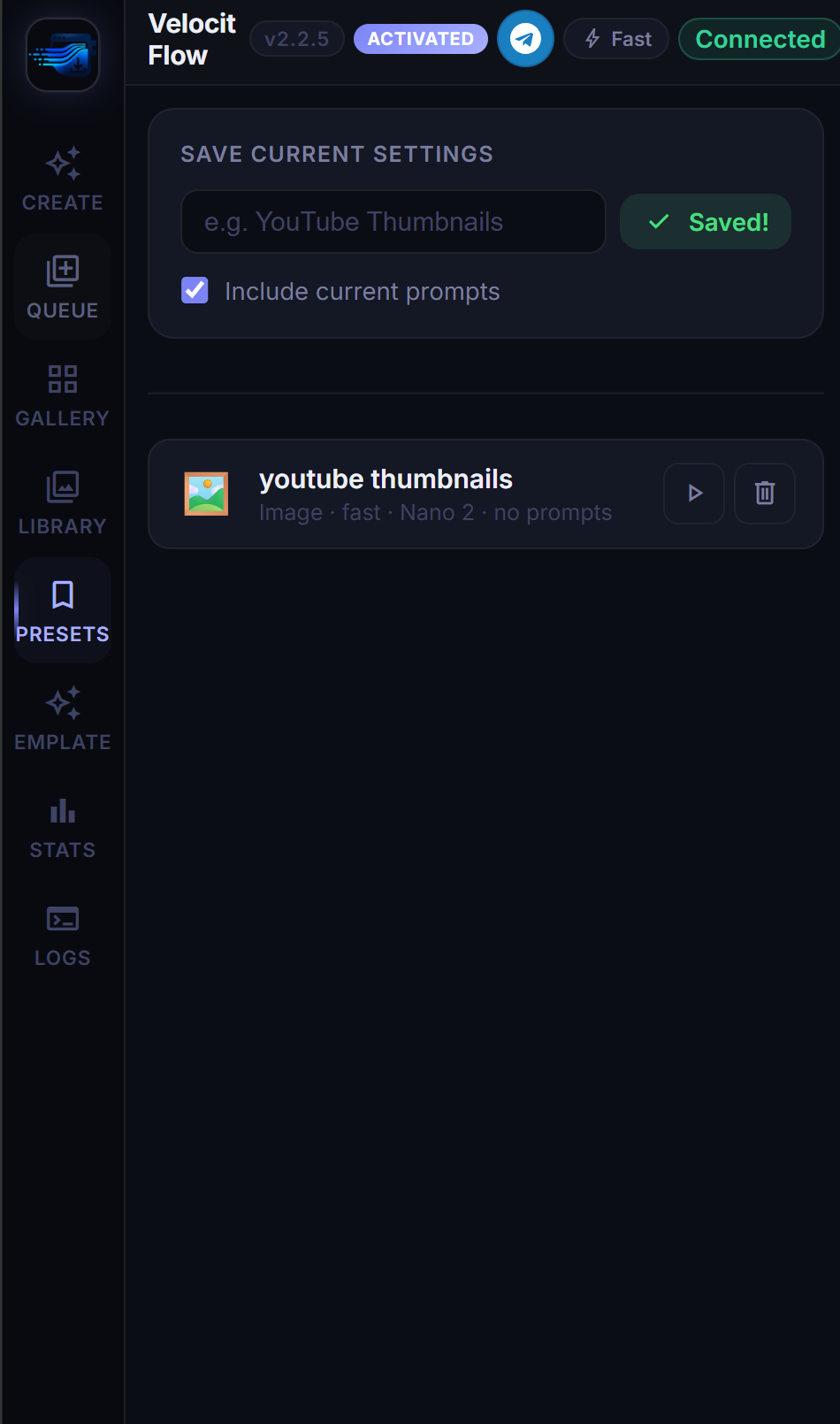
Stop re-configuring every session. Save your entire setup — model, ratio, count, speed, folder, and even your prompts — as a named preset.
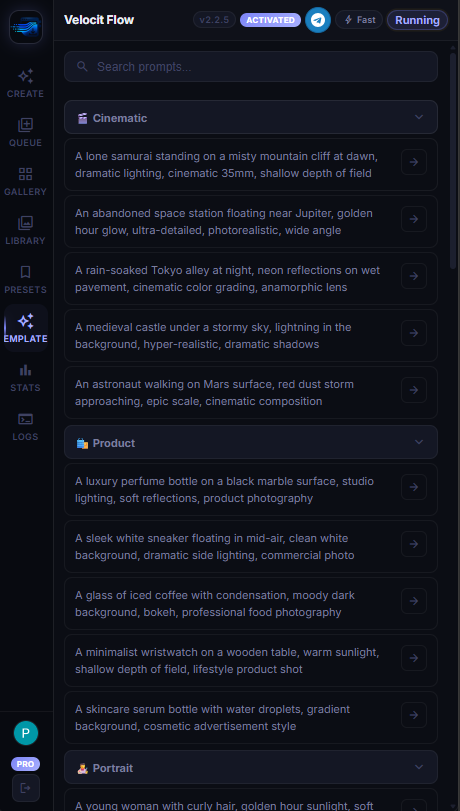
Stop staring at a blank prompt box. Browse 40+ professionally written prompts across 8 categories — search by keyword, click Use, and go.
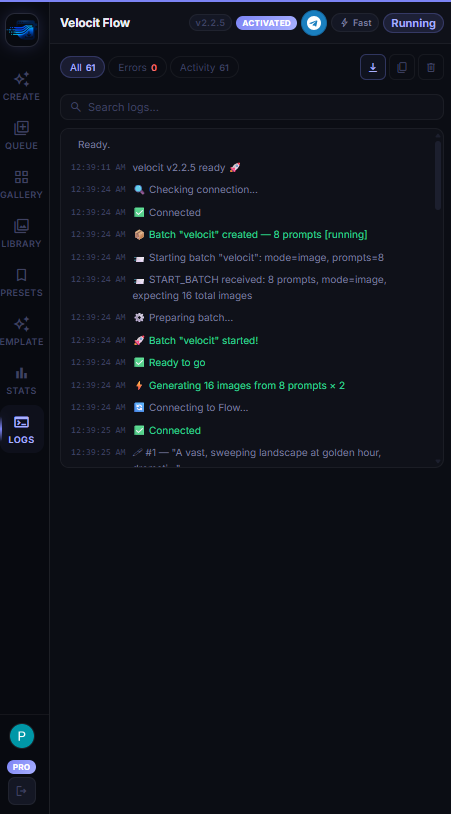
Every generation step is logged live — batch start, prompt dispatched, image generated, downloaded, complete. Nothing happens in the dark.
Built on top of the core five tabs — making Velocit Flow the most complete bulk generation tool available.
Velocit FlowWatch how to go from zero to bulk-generating AI images and videos in under 2 minutes.
Pricing
One plan, full access. No feature gating — everything included from day one.
Monthly
Billed monthly. Cancel anytime.
Yearly
$4.17/mo — billed annually.
Install Free — Chrome Web Store
Free to install — Upgrade to Pro inside the extension after sign-in
FAQ
Everything you need to know before getting started.
Google Flow (flow.google.com) is Google's AI image and video generation platform. Velocit is a Chrome extension that supercharges it with bulk generation, batch queues, and auto-downloading.
Yes — installing from the Chrome Web Store is free. You get free prompts to try it out. Once you're ready to unlock unlimited generation, upgrade to Pro directly inside the extension.
Yes — Velocit uses your existing Google account for sign-in. No new account needed. Just click "Sign in with Google" and you're in.
Yes. Monthly subscribers can cancel at any time and keep access until the end of the billing period. No questions asked.
After payment, your Gmail is automatically linked to an active subscription. The next time you open the extension and sign in with that account, it unlocks instantly — no license keys, no manual steps.
Presets let you save your entire generation setup — model, ratio, count, speed, folder — and restore it in one click. Templates are 40+ ready-to-use prompts across 8 categories you can browse, search, and drop directly into your queue.
Velocit is a Chrome extension and works on Google Chrome and any Chromium-based browser — Edge, Brave, Arc, and others.
Install free. Get 10 prompts to try. Upgrade to Pro when you're ready to go unlimited.
Install Free — Chrome Web Store